If you need a new LESCO connection or want to change the name, meter load, or tariff of an existing connection, this guide can help. We provide clear and updated information about the LESCO connection process, including the application procedure, required documents, demand notice, and applicable fees.
In this article, you’ll learn the complete step-by-step process for getting a new LESCO connection. You can also find useful information about the Demand Notice and applicable fees. If you need to check your electricity bill, you can also view your duplicate LESCO bill online.
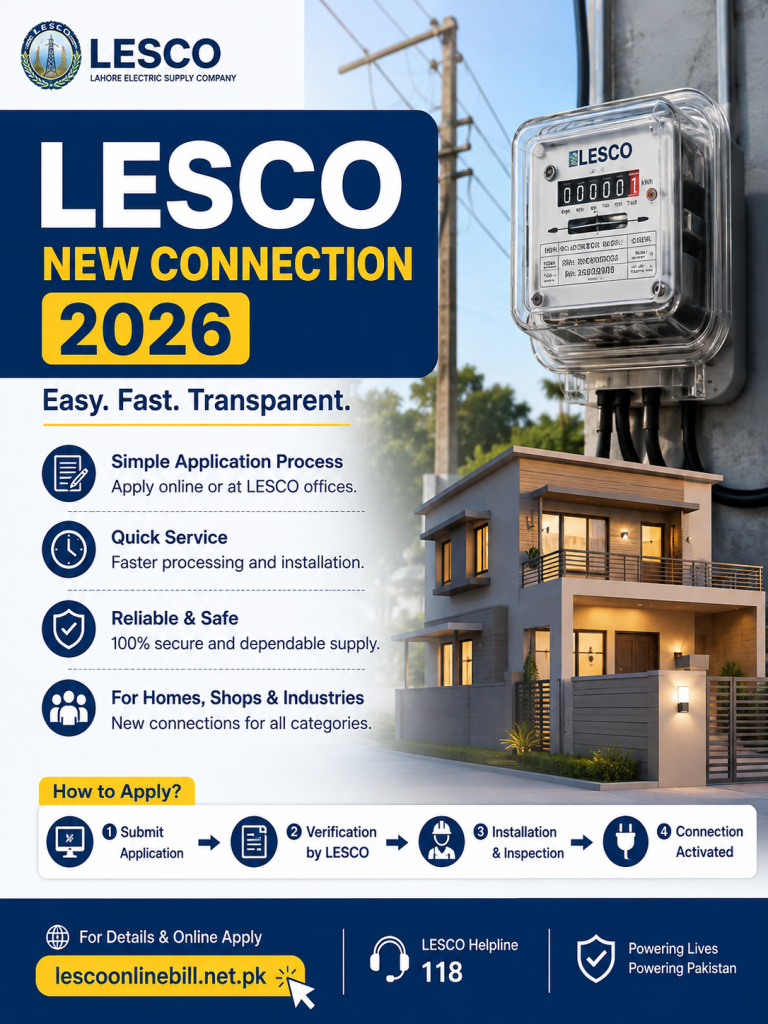
We will also explain how to change the name, meter load, or tariff of an existing LESCO connection. You’ll get clear, step-by-step guidance for each procedure.
- How to Apply for a LESCO New Connection?
- Documents Required for LESCO New Connection
- How to Print and Submit the Application?
- Demand Notice (DN): Payment and Submission Process
- How to Track Your LESCO New Connection Application?
- LESCO New Connection Meter Installation Process
- Time Required for LESCO New Connection
- Category-1: Time Frame for 1kW to 15kW Load
- Category-2: Time Frame for 16kW to 70kW Load
- Category-3: Time Frame for 71kW to 500kW Load
- Change LESCO Connection Name, Load or Tariff
- Name, Load and Tariff Change Procedure
- Documents and Attachments Required
- Application Printing and Submission Guidelines
- How to Print the Demand Notice and Pay the Fee?
- Conclusion
- Frequently Asked Questions (FAQs)
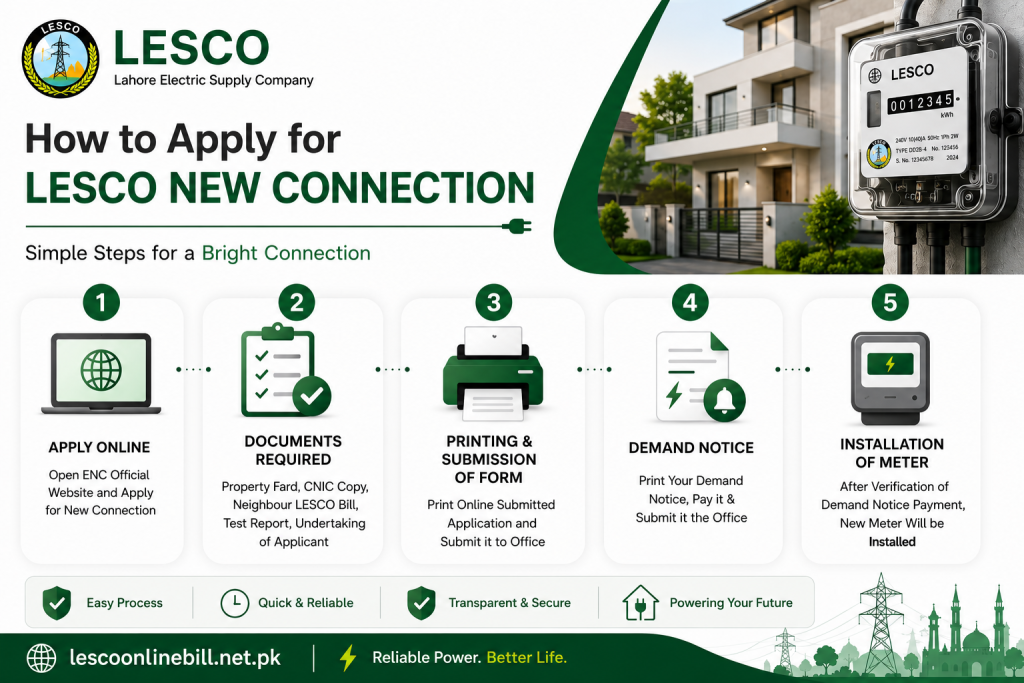
How to Apply
The government has launched a centralized Electricity New Connection (ENC) portal to simplify electricity-related services across Pakistan. Through the official ENC website, consumers can apply for a new electricity connection, request a change of name, or apply for a change in sanctioned load or tariff online.
To access these services and submit an application, visit the official ENC portal at https://enc.com.pk/.
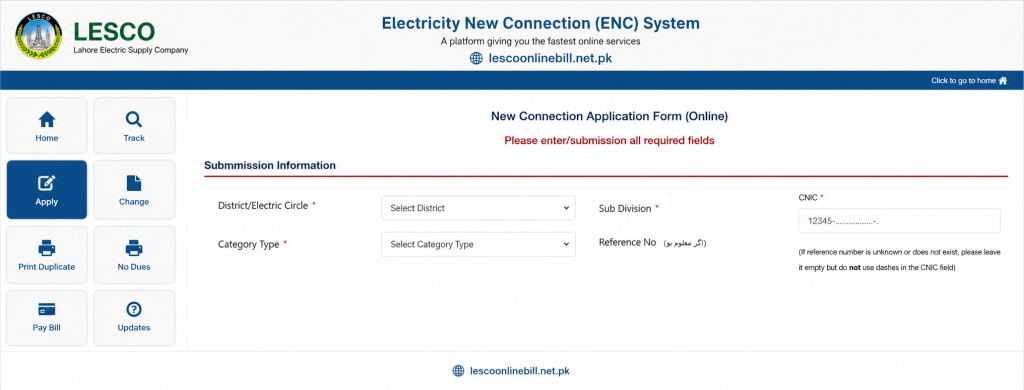
- Select “Apply” from the left-side menu.
- After clicking “Apply,” a new page will open with four tabs: Select Company, Sub Division, Category, and Reference Number.
- Select LESCO as the electricity company.
- Choose your Sub Division from the drop-down menu based on your area.
- Select the appropriate Category according to your connection requirements.
- Enter your neighbour’s reference number as required.
- After submitting these details, a detailed application form will appear.
- Select the connection type, such as Domestic, Commercial, or another applicable category.
- Enter your personal information, including ownership status, name, father’s name, citizenship, CNIC number, mobile number, and address.
- Provide your contact information. If the contact details are the same as your personal information, you can select the relevant option.
- Enter the premises details, including the number of existing meters, if applicable, the required minimum load, and the address where you want the new meter installed.
Green Meter and Net Metering
If you have installed a solar system and want to export surplus electricity to the national grid, you may also apply for Green Meter or Net Metering through the relevant service.
Once you open the ENC web portal, you can view the application interface and follow the available options to proceed with your request.
Documents Required for a New LESCO Connection
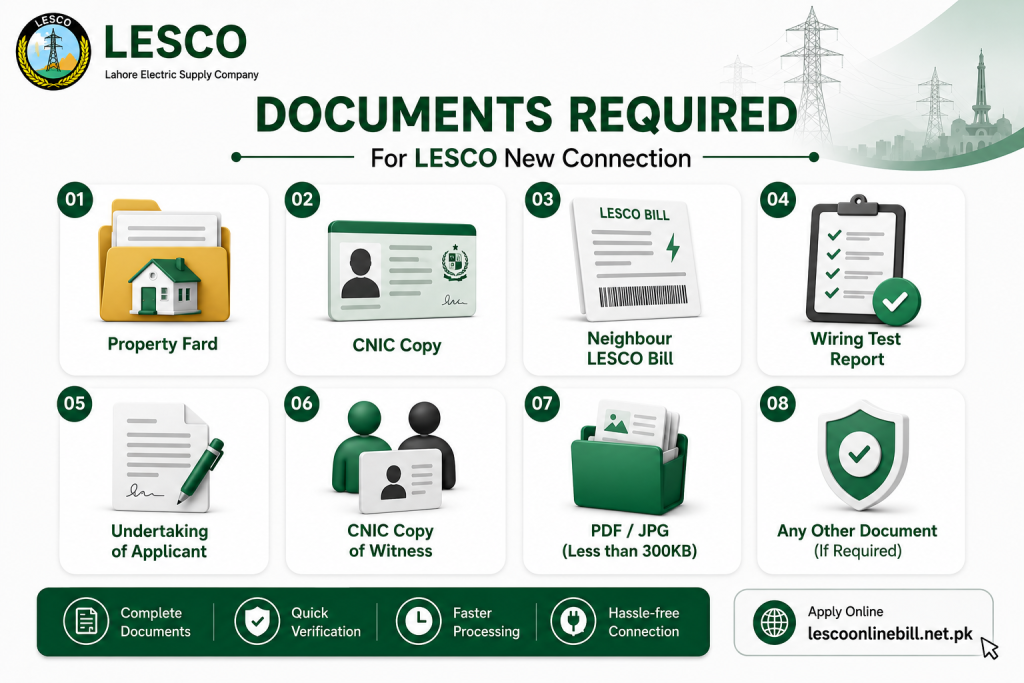
Before submitting your application through the ENC portal, you need to upload the required supporting documents. Make sure all documents are clear, valid, and meet the portal’s file-size requirements.
The required documents generally include:
- Property Ownership Document: A copy of the Fard, Registry, or property file.
- Applicant’s CNIC: An attested copy of the applicant’s CNIC.
- Witness CNIC: An attested copy of the witness’s CNIC.
- Neighbour’s Electricity Bill: A copy of your neighbour’s latest electricity bill.
- Wiring Contractor’s Test Report: The required test report issued by the wiring contractor.
- Applicant Undertaking: The applicant must agree to the applicable terms and conditions.
File Size Requirement
Make sure each uploaded file meets the ENC portal’s file-size requirements. If the portal specifies a maximum size of 300 KB, reduce the document size before uploading it.
Submit Your Application
After uploading all required documents, review the information carefully. Click the “I Agree” option to confirm your undertaking and acceptance of the applicable terms and conditions.
Once everything is complete, click “Submit” to send your new connection application for processing.
After submitting your online application, you will receive a Tracking ID for your new LESCO connection. Make sure to save this ID, as you will need it to track your application status and download your application details later.
You can also use the Bill Calculator to get an estimated idea of your electricity bill before receiving your original bill.
Printing and Submission of Application
WAPDA officials will review and verify the information and documents submitted with your application. If required, a designated WAPDA representative may visit your provided address to confirm your residence and verify other necessary details.
Demand Notice ( DN )
Once the verification process is complete, you can print your Demand Notice (DN) online through the ENC website. Visit the official ENC portal and select the “Print DN” option. Enter your Tracking ID to view and print your Demand Notice.
After printing the DN, pay the required amount at any designated bank branch. Once the payment is completed, upload the paid DN to the ENC website and submit the original paid document to the concerned officer at the relevant office to proceed with your new connection application.
New Connection Application Tracking
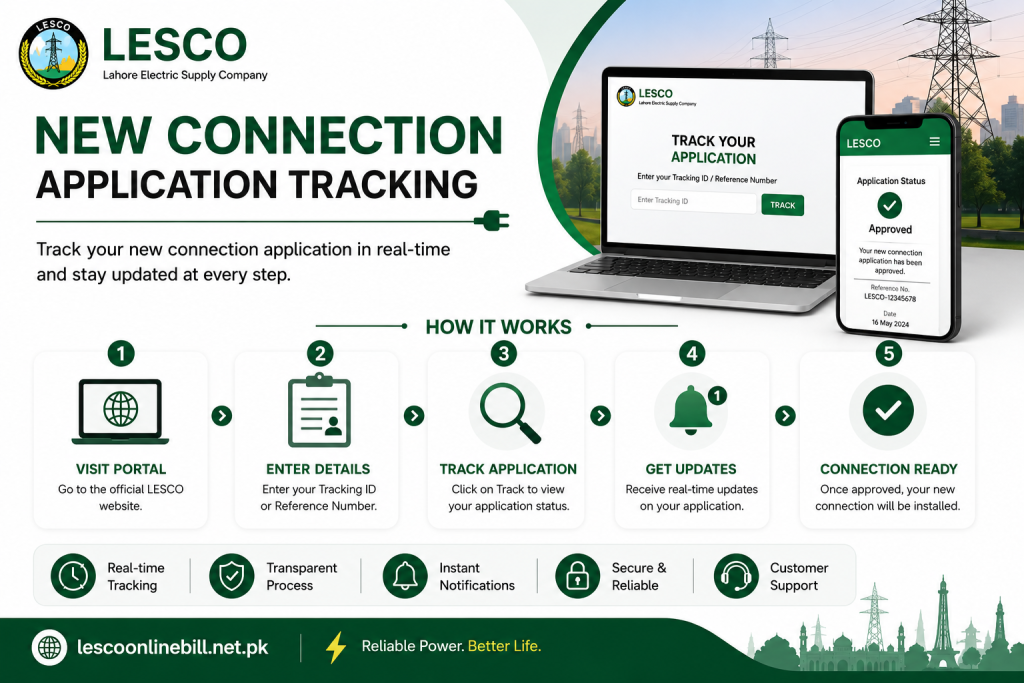
Want to check your new connection application status? You can easily track your application online using the Tracking ID provided by the ENC system after submitting your application. Follow these simple steps to check the latest status of your application:
- Visit the ENC Website: Go to the official ENC website at www.enc.com.pk and look for the tracking option on the homepage.
- Click on the Track Option: Select the “Track” button to open the application tracking section.
- Select Application Type: Choose “New Connection” as the application type.
- Select Your Company: From the company drop-down menu, select LESCO.
- Enter Your Tracking ID: Enter the Tracking ID you received after submitting your new connection application.
- Submit Your Request: Click the “Submit” button to proceed.
Your new connection application status will then appear on the screen, allowing you to check the current progress of your application online.
Installation of Meter
Once the paid Demand Notice has been verified and approved, your new electricity connection will be processed. After approval, the electricity meter will be installed at the designated location provided in your application.
Time Required for New Connection Category-Wise
LESCO new electricity connections are generally divided into three main categories based on the required load capacity:
- Category 1: Load up to 15 kW
- Category 2: Load from 16 to 70 kW at 400 volts
- Category 3: Load from 71 to 500 kW at 400 volts
Each category has its own requirements, processing steps, and estimated timeline. Below, we explain the application procedure and expected processing time for each type of new connection in detail.
Time Frame Required For Category-1 ( load 1kW-15kW )
All consumers requiring a load of up to 15 kW fall under Category 1. The concerned SDO/Assistant Manager Operations is responsible for receiving and processing new connection applications in this category. The complete process generally takes approximately 30 days, depending on the verification, documentation, and availability of the required equipment.
The main steps involved in the Category 1 new connection process are outlined below:
| Process Step | Time Required |
|---|---|
| The concerned office will receive the application, issue a receipt, and assign a seniority number in the relevant register. | 1 Day |
| The inspection team will visit the applicant’s premises to assess whether the connection can be provided and inform the applicant accordingly. | 3 Days |
| If the connection is feasible, the required connection cost will be assessed. | 2 Days |
| The office will issue and deliver the Demand Notice (DN) to the applicant either personally or by mail. | 2 Days |
| The applicant will submit the paid Demand Notice receipt to the concerned office. | 2 Days |
| The applicant will submit the wiring test report, which will then be verified by the concerned office. | 3 Days |
| The concerned office will prepare the priority list based on the Demand Notice payment date. | 1 Day |
| The concerned office will issue the service connection order. | 3 Days |
| The office will request the required connection equipment from the relevant store. | 3 Days |
| The store will issue and provide the required equipment. | 5 Days |
| Once the equipment is available, the concerned office will arrange for the connection to be installed. | 5 Days |
| Total Estimated Time | 30 Days |
Overall, the Category 1 new connection process may take approximately 30 days, provided that all required documents are complete and the necessary equipment is available.
Time Frame Required for Category-2 ( Load 16kW-70kW )
Category 2 covers consumers requiring an electricity load between 16 and 70 kW. The new connection in this category is approved by the concerned DM/XEN. The complete process generally takes approximately 53 days, although the actual timeline may vary depending on site inspection, documentation, and equipment availability.
The procedure is similar to Category 1, with the following steps:
| Process Step | Time Required |
|---|---|
| The concerned office will receive the application, issue a receipt, and assign a seniority number in the relevant register. | 1 Day |
| The inspection team will visit the applicant’s premises to assess the feasibility of providing the connection and inform the applicant accordingly. | 4 Days |
| If the connection is feasible, the required connection cost will be assessed. | 3 Days |
| The office will issue and deliver the Demand Notice (DN) to the applicant either personally or by mail. | 4 Days |
| The applicant will submit the paid Demand Notice receipt to the concerned office. | 2 Days |
| The applicant will submit the wiring test report, which will then be verified by the concerned office. | 5 Days |
| The concerned office will prepare the priority list based on the Demand Notice payment date. | 2 Days |
| The concerned office will issue the service connection order. | 4 Days |
| The office will request the required equipment from the relevant store. | 15 Days |
| The store will provide the required equipment. | 7 Days |
| Once the equipment is available, the concerned office will arrange for the connection to be installed. | 6 Days |
| Total Estimated Time | 53 Days |
Overall, the Category 2 new connection process may take approximately 53 days, provided that all required documents, approvals, and equipment are available on time.
Time Frame Required for Category-3 ( Load 71kW-500kW )
Category 3 includes consumers requiring an electricity load between 71 kW and 500 kW. New connections under this category are approved by the concerned Operations Manager. Due to the higher load requirements and additional processing involved, the complete procedure may take approximately 73 days.
The main steps involved in the Category 3 new connection process are as follows:
| Process Step | Time Required |
|---|---|
| The concerned office will receive the application, issue a receipt, and assign a seniority number in the relevant register. | 1 Day |
| The inspection team will visit the applicant’s premises to assess the feasibility of providing the connection and inform the applicant accordingly. | 4 Days |
| If the connection is feasible, the required connection cost will be assessed. | 2 Days |
| The concerned office will approve the installation of the new connection. | 4 Days |
| The applicant will submit the paid Demand Notice receipt to the concerned office. | 4 Days |
| The applicant will submit the wiring test report, which will then be verified by the concerned office. | 4 Days |
| The concerned office will issue the service connection order. | 2 Days |
| The office will request the required equipment from the relevant store. | 15 Days |
| After receiving the required equipment, a committee comprising the DMO, AMO, and MT Office will arrange for the installation of the connection. | 37 Days |
| Total Estimated Time | 73 Days |
Overall, the Category 3 new connection process may take approximately 73 days, depending on the completion of required formalities, approvals, and availability of equipment.
Change Connection Name/Load/Tariff
There are several situations in which you may need to change the name, load, or tariff of your electricity connection. For example, a name change may be required after buying or selling a property or when transferring a connection from a parent to a child. Similarly, consumers may need to increase or decrease their sanctioned load or change their existing tariff category.
The ENC portal provides an online process for submitting these requests. Below is a step-by-step guide to applying for a name, load, or tariff change.
Name, Load, or Tariff Change
- Visit the ENC Website: Open the official ENC website at www.enc.com.pk.
- Select the Change Option: From the left-side menu, click on the “Change” option.
- Choose the Application Type: Select the required option, such as Change of Name, Change of Load, or Change of Tariff. You may select more than one option if required.
- Enter Applicant Details: Provide the required information, including your Reference Number, CNIC Number, Mobile Number, and Name.
- Change of Name: If you are applying for a name change, enter the existing and new name details as required.
- Change of Load: For a load change, provide the relevant load information in the designated section.
- Change of Tariff: If you want to change your tariff, complete the required tariff-related details.
Required Attachments
The applicant must provide the necessary supporting documents with the application. The maximum allowed file size for each attachment is 300 KB.
- Attested copy of the applicant’s CNIC
- Copy of the latest electricity bill
- Valid proof of ownership
Submitting and Printing the Application
After completing the application, submit it through the ENC portal. The system will generate a Tracking ID, which you should save for checking the application status and completing the remaining steps.
To print the application, select the “Print” option from the left-side menu, choose the relevant company, and enter your Tracking ID. Print the application, attach the required documents, and submit them to the concerned office for further processing.
Print and Pay the Demand Notice
Once the application has been reviewed and verified, a Demand Notice (DN) will be issued.
- Go to the ENC website and select “Print DN” from the menu.
- Enter your Tracking ID to access and print the Demand Notice.
- Pay the required amount at any designated bank.
- Where available, you can also use the “Pay DN” option on the ENC portal to make the payment online.
- After payment, upload the paid Demand Notice through the “Upload DN” option.
- Submit or send the paid copy of the Demand Notice to the concerned office as required.
After the payment has been verified, the requested name, load, or tariff changes will be processed and applied to the electricity connection.
Conclusion
Consumers who need to apply for a new connection or change the name, load, or tariff of an existing connection can use the ENC portal to submit their application online. Make sure all required information and supporting documents are accurate before submitting the request.
Once the application is submitted, keep the Tracking ID safe. It can be used to track the progress of your application through the ENC portal.